Welcome to New Music Engine ("NewMusicEngine", "we", "our", "us").
Your privacy is important to us. This Privacy Policy explains how we collect, store, use and disclose your personal information when you use newmusicengine.com (together, the "Website"), and all related sites, players, widgets, tools, apps, data, software, APIs and other services provided by New Music Engine (the "Services").
By using the Website or any of the Services, and in particular by registering a New Music Engine account, you are consenting to the use of your personal information in the manner set out in this Privacy Policy.
Please take some time to read this Privacy Policy and make sure you are happy with our use and disclosure of your personal information.
If you do not agree to any of the provisions of this Privacy Policy, you should not use the Website, the Apps or any of the Services. If you have any questions or concerns, you can contact us at support@newmusicengine.org
Please note that this Privacy Policy only applies to the Website, the Apps and the Services (together, the "Platform"). When using the Platform, you may find links to other websites, apps and services, or tools that enable you to share information with other websites, apps and services. New Music Engine is not responsible for the privacy practices of these other websites, apps and services and we recommend that you review the privacy policies of each of these websites, apps or services before connecting your New Music Engine account or sharing any personal information.
Our Principles
We have a pretty simple approach to data protection and privacy, which can be summarized as follows:
You should know exactly what we do with your data & you should have full control over your data
This Privacy Policy is designed to give you full transparency regarding our data protection practices. If there's anything that's not clear from this Privacy Policy, please feel free to email us at support@newmusicengine.org. We've designed the website to give you control over the information you publish and share using New Music Engine and other sites and services to which you connect your New Music Engine account. Please take full advantage of these tools and make sure you only share what you want to share.
Information we collect about you
We collect personal information about you from various sources:
Information provided by you
Certain Services require that you register for a New Music Engine account and, by doing so, you will provide us with certain personal information:
Essential Information: When you register at New Music Engine account, you will need to provide your email address, your month and year of birth, and choose a password.
Profile Information: You may choose, at your discretion, to provide additional information for your public profile on New Music Engine • for example:
Name
Primary Email and Login:
Password
Performing Rights Organization:
Address
City
State/Province:
Zip Code:
Country:
Artist profile picture
Information about how you categorize yourself with respect to your content (for example, whether you are a musician, a label or some other category of creator)
Details of your other websites and social media profiles, including links to those websites and profiles
Information from Correspondence: You may provide certain personal information if you contact us by email.
Survey Information: If you participate in any survey, you may be asked to provide certain personal information as part of your response, unless you respond anonymously.
Information that you post: You may provide personal information when you upload sounds to website, or when you post comments, or contribute to community discussions.
Information we collect automatically
There is certain information that we collect automatically as the result of your use of the Platform, or through the use of web analytics services as described in our Cookies Policy. This information includes:
the Internet Protocol (IP) address of the device from which you access the Platform (this can sometimes be used to derive the country or city from which you are accessing the Platform)
the site that you visited immediately prior to visiting the Website
any search terms that you may enter on the Website
the time, frequency and duration of your visits to the Platform
your browser type and operating system
the nature of the device from which you are accessing the Platform, for example, whether you are accessing the Platform from a personal computer or from a mobile device
information collected through cookies and similar technology, as described in our Cookies Policy
information regarding your interaction with email messages, for example, whether you opened, clicked on, or forwarded the email message
How we use your personal information
We use the information that we collect about you for the following purposes:
Your email address and password are used to identify you when you log into the Platform.
Your name and email address are associated with any submission you make on the Platform and used to contact you regarding your submissions.
Any additional information that you provide as part of your public profile, such as your real name, and links to your website and other social media profiles (but not your email address), will be published on your profile page. This information will be publicly accessible and may be viewed by anyone accessing the Website, or using our API or other Services. Please bear this in mind when considering whether to provide any additional information about yourself.
Your email address will be used to send you service updates and notifications regarding your account, and (if you have elected to receive them using your account preferences) newsletters, marketing messages and certain email notifications.
Your email address will be used to send you status updates on opportunities hosted by New Music Engine.
Your personal information is also used for the following general purposes:
To operate and maintain your New Music Engine account, and to provide you with access to the Website and use of any Services that you may request from time to time.
To identify you as the creator of the sounds that you upload, the comments that you post and/or the other contributions that you make to the Platform.
To seek your participation in surveys, and to conduct and analyse the results of those surveys if you choose to participate.
To provide you with technical support
To analyse the use of the Platform, and the people visiting the Website and using the Apps and Services, in order to improve New Music Engine.
To respond to you about any comment or inquiry you have submitted.
To customize your use of the Platform and/or the content of any email newsletter or other material that we may send to you from time to time.
To prevent or take action against activities that are, or may be, in breach of our security, abuse of our services, or applicable law.
For other purposes, provided we disclose this to you at the relevant time, and provided that you agree to the proposed use of your personal information.
Sharing of your personal information
WE WILL NOT SHARE YOUR PERSONAL INFORMATION WITH ANY THIRD PARTY, EXCEPT AS DESCRIBED IN THIS PRIVACY POLICY. There are circumstances where we may need to share some of the personal information we collect about you or which you provide to us - these circumstances are as follows:
Opportunity Organizers: When you submit your work on this platform, organizer(s) who host that opportunity will only have access to your name and email address if you provide it to them on their submission form.
Other Users: Any information you place on your public profile will be accessible by other users of the Platform, who may view your profile information.
With your consent: We will disclose your personal information if you have explicitly agreed that we may do so. We will make this clear to you at the point at which we collect your information.
As aggregated data: We may aggregate your personal data with similar data relating to other users of the Platform in order to create statistical information regarding the Platform and its use, which we may then share with third parties or make publicly available. However, none of this information would include any email address or other contact information, or anything that could be used to identify you individually, either online or in real life.
If required by law: We will disclose your personal information if we believe in good faith that we are permitted or required to do so by law, including in response to a court order, subpoena or other legal demand or request.
To protect our interests: We may disclose your personal information if we feel this is necessary in order to protect or defend our legitimate rights and interests, or those of our users to ensure the safety and security of the Platform and/or the New Music Engine community.
In the context of a business transfer: We may transfer your personal information to any person or company that acquires all or substantially all of the assets or business of New Music Engine, or on a merger of our business, or in the event of our insolvency.
Access to your Data
As described above, personal information you provide to us can be accessed and updated in the account area of New Music Engine. If you wish to access, amend or delete any other personal information we hold about you, or if you have any objection to the processing of any information that we hold about you, please contact us at support@newmusicengine.org.
If you ask us to delete your account via email, we will do so within a reasonable period of time, but we may need to retain some of your personal information in order to satisfy our legal obligations or where we have a legitimate reason for doing so.
Children
New Music Engine is not intended for use by children. Anyone under the age of 13 is not permitted to use the Platform and must not attempt to register an account or submit any personal information to us. We do not knowingly collect any personal information from any person who is under the age of 13 or allow them to register an account. If it comes to our attention that we have collected personal data from a person under the age of 13, we will delete this information as quickly as possible. If you have reason to believe that we may have collected any such data, please notify us immediately at support@newmusicengine.org
Changes and Updates to this Privacy Policy
We may occasionally update this Privacy Policy, and when we do so, we will also revise the Effective Date set out below. Any changes to our Privacy Policy will always be available here so that New Music Engine users are always aware of what information we gather, and how we might use and share that information. Please be sure to check back here from time to time to ensure that you are aware of any changes to this Privacy Policy. Any material changes to this Privacy Policy will be communicated to registered users by a notification to their account and/or by posting a notice of the change on the Website.
Questions?
If you have questions about this Privacy Policy, want to suggest changes to this Privacy Policy or want to know, what information we store about you, please contact us by email at support@newmusicengine.org.
Don't want to give us your information?
If you decide that you do not want us to use your personal information in the manner described in the Privacy Policy (including our Cookies Policy), please do not use the Platform. If you have already registered an account, you can cancel your account by emailing support@newmusicengine.org.
Choice and Control
We do our best to give you as much choice as possible regarding the amount of personal information you provide to us, and the control you have over that information. It is not necessary for you to provide us with any information in order to visit the Website, although certain information will be collected automatically by virtue of your visit (as described above).
New Music Engine Cookies Policy
In common with most websites, we use cookies and other standard Internet technologies to help us improve the Website. This site requires the use of cookies to assist with navigation and functionality. Our cookies expire upon logout or when the user quits their browser. Cookies are not stored.
If you choose to use the Platform without blocking or disabling cookies or opting out of other technologies, you will indicate your consent to our use of these cookies and other technologies and to our use (in accordance with this policy and the rest of our Privacy Policy) of any personal information that we collect using these technologies. If you do not consent to the use of these technologies, please be sure to block or disable them using your browser settings.
What are cookies?
Cookies are small text files that are placed on your computer by websites that you visit. These text files can be read by these websites and help to identify you when you return to a website. Cookies can be "persistent" or "session" cookies. Persistent cookies remain on your computer when you have gone offline, while session cookies are deleted as soon as you close your web browser.
To find out more about cookies, including how to see what cookies have been set and how to block and delete cookies, please visit http://www.aboutcookies.org/.
newmusicengine.org is a career management system and opportunity submission engine for composers.
The site was written to conform to current web standards in HTML 5 and CSS 3. Users are encouraged to visit our site with a standards-compliant browser, such as Safari and Google Chrome. The site was designed to make use of several web-oriented technologies including PHP, MySQL, Smarty Templates and jQuery.
If you are asked to resubmit a form, you can accept it. For security reasons, it is best to use navigation menus instead of the back button in your browser.
In the Artist section, you define the basic parameters of your Artist Profile. A "display name," on the other hand, is how you want your name to appear in print. When you submit a work to a call for submissions, your display name will be used.
Your Artist Profile can have may have multiple contact references. This contact information might be your website, telephone number, or email address.
You can also upload an Artist Profile image that can be harvested for social media posts. At this time, you may only attach one image file to your Artist Profile.
Important Note:
Images must be either .jpg, .gif, or .png image files.
Recommended dimensions should be maximum 400x400 pixels.
The maximum file is 2mb.
IMPORTANT:Filenames should follow standard convention and
must not contain punctuation marks, diacritical marks, non-Latin characters, spaces, or other glyphs
( ! # & $ % @ ^ ~
+ = ; apostrophes, parentheses, umlauts, double spaces, accents, etc...)
If you are having difficulties submitting to this opportunity, please make sure that you have filled in all of the required fields, which are marked with an asterisk. Also, some fields may have a word limit -- make sure you aren't exceeding that limit.
Do not copy/paste from Microsoft Word or other word processor. Doing so may create unwanted characters and formatting information. If you must copy/paste, please consider using a text editor like Notepad (PC) or TextEdit (Mac)
Thank you for using newmusicengine.org. We are happy to help you, so if you have any questions or concerns, please do not hesitate to contact us. Click Here to Email New Music Engine
Audio Formats:.mp3 and .wav are the only acceptable formats PDF Formats:.PDF is the only acceptable format Image Formats:.jpg, .gif, and .png are the only acceptable file formats
Note that if you have already uploaded a file, doing so again will simply replace the existing file.
Warning: Filenames should follow standard convention and must not contain punctuation marks, diacritical marks, non-Latin characters, spaces, or other glyphs ( ! # & $ % @ ^ ~ + = ; apostrophes, parentheses, umlauts, double spaces, accents, etc...)
Contact New Music Engine
Thank you for using newmusicengine.org. We are happy to help you, so if you have any questions or concerns, please do not hesitate to contact us.
The following codes are available for formatting the information for opportunity organizers. In most cases, formatting requires the element to be encapsulated. For example:
Typing ''Bird, bird, bird, b-bird's the word will not only italicize
"Bird, bird, bird, b-bird's the word," but also everything that follows it. In this example,
if you want to only italicize "Bird, bird, bird, b-bird's the word," you must also "close"
the formatting element with two grave accents like this: ''Bird, bird, bird, b-bird's the word''
Remember, with the exception of bulleted lists, formatting codes have an opening mark and a closing mark.
Italics
``italicized text`` Surround the text with two grave accent (`) marks (Note: This is not an apostrophe. The grave accent is typically next to the #1 key on QWERTY keyboards).
Bold
```bold text``` Surround the text with three grave accent (`) marks.
Bold & Italics
`````bold & italicized text````` Surround the text with five (2 + 3) grave accent (`) marks.
[mailto:support@newmusicengine.org Email Link] Email links will open up the users email client.
Formatting the elements below will only work if they are at the start of a new line.
Header2
== Header2 == Type two equal signs (=) before and after the element you want to stylize.
Header3
=== Header3 === Type three equal signs (=) before and after the element you want to stylize.
Header4
==== Header4 ==== Type four equal signs (=) before and after the element you want to stylize.
Bulleted List
* bulleted text Type an asterisk to begin the bulleted line of text. Unlike the styling elements above, this element should not be "closed" with an asterisk. The element gets closed when a new line break appears.
Horizontal Rule
---- This element is created by typing four dashes.
Sending Emails
Include Artist's Name:
{NAME} a dynamic element, this element insert the name of the artist in your email.
Include Title of Submitted Work:
{TITLE} a dynamic element, this element insert the title of the submitted work.
In this section, define the basic parameters of this opportunity such as the opportunity name, deadline, and whether or not submissions should be anonymous. You can also add additional administrators for the opportunity who will have full access to submission data.
Do not copy/paste from Microsoft Word or other word processor. Doing so may create unwanted characters and formatting information. If you must copy/paste, please consider using a text editor like Notepad (PC) or TextEdit (Mac)
You can also upload a logo to associate with your call for submissions that can be harvested for social media posts. At this time, you may only attach one image file to this opportunity. Typically, it is the logo of the organization hosting the call for submissions.
In every New Music Engine opportunity submission form, some default fields are always required and included; however, you can add additional fields in the Submission Form Builder. The default fields are:
Title
Composer(s)
Instrumentation Description
Approximate Duration
Important Anonymous: Selecting Anonymous will only hide composer's name from adjudicators. If you wish to hide other fields, see "Admin Only" form building section.
Each added form element has a number of options including:
Required: Selecting "Yes" for this form element indicates that the element must be completed for the submission form to be considered complete. Artists submitting do not have to complete the form on one visit, but may return to edit their submission until you place the opportunity into "Close" status after the deadline has passed.
Admin Only: Selecting "Yes" indicates that this field will only be available to managers of this opportunity call. These fields will not be distributed to judges in judging rounds. This allows you to collect some data, like a biographical sketch, that you ultimately need for promotion but not data you want your adjudicators to see while considering submissions.
Warning: Do not use this form if you are hosting your call through New Music Engine. Instead, choose "My Opportunities"link.
In this section, define the basic parameters of this non-NME opportunity listing such as the opportunity name, deadline, and submission guidelines. You can also upload a logo to associate with your listed that can be harvested for social media posts (.jpg or .gif only). At this time, you may only attach one image file to this opportunity. Typically, it is the logo of the organization hosting the call for submissions.
Do not copy/paste from Microsoft Word or other word processor. Doing so may create unwanted characters and formatting information. If you must copy/paste, please consider using a text editor like Notepad (PC) or TextEdit (Mac)
Introduction
In every New Music Engine opportunity submission form, some default fields are always required and included; however, you can add additional fields in the Submission Form Builder. The default fields are:
Title
Composer(s)
Instrumentation Description
Approximate Duration
Important Anonymous: Selecting Anonymous will only hide composer's name from adjudicators. If you wish to hide other fields, see "Admin Only" option below.
Each added form element has a number of options including:
Required: Selecting "Yes" for this form element indicates that the element must be completed for the submission form to be considered complete. Artists submitting do not have to complete the form on one visit, but may return to edit their submission until you place the opportunity into "Close" status after the deadline has passed.
Admin Only: Selecting "Yes" indicates that this field will only be available to managers of this opportunity call. These fields will not be distributed to judges in judging rounds. This allows you to collect some data, like a biographical sketch, that you ultimately need for promotion but not data you want your adjudicators to see while considering submissions.
Additionally, most opportunities also request program notes, biographical data, and performance notes. These basic attributes are automatically listed, but you can easily delete, edit, or reorder any of the submission form elements. Use the Submission Form Builder to add additional custom input form elements on the submission form of your opportunity. You can choose from five different types of Submission Form Elements to add:
Text Values, Numeric Range, Comments Field, URL Field and File Upload.
Submission form elements will appear on the submission form in the same order as they appear in the builder. To change the order of submission form items, simply drag the rows to put them in the desired order.
Examples:
[Label]
[Type]
[Description]
Provide Performer
Description:
Indicate whether or not you will provide your own performer
About the Submission Form Element:
In the submission form element above the label is "Provide Performer" and the type is "Text Values". The info contains the elements in the dropdown menu: "Yes, No". Note that each element is separated by a comma.
Number of Performers
Description:
Indicate the number of performers required to present your work.
About the Submission Form Element:
This is a common submission form element often used for conferences and festivals. In the element
above the label is "Number of Performers" and the type is "Numeric Range". The info contains the elements in the dropdown menu: "1-4" (Note: specify the low and high number separated by a hyphen).
Biographical Sketch
Description:
Provide your biographical sketch.
About the Submission Form Element:
In the submission form element above the label is "Link to Video" and the type is "Comments Field". Enter a number in info to indicate the maximum number of words allowed in the field.
Organizers use this section to setup Announcements and Actions that will appear once the opportunity has been placed in "Post Production" status. IMPORTANT: Announcements and/or actions entered in this section will not appear until the opportunity has been placed in "Post Production" status.
Announcements
Organizers should create copy for the three types of announcements:
Public Press Release:
Use this area to provide a statement that will be available to everyone. Regardless of whether or not a person has submitted to this opportunity, they will be able to see this statement. The statement will be published on the public webpage that was generated when this opportunity was created:
Message to Rejected Submissions:
Only the creators of the submissions which are Rejected will see the text written here. When a submitter logs into New Music Engine, an alert will appear in the notification frame on the left-hand side of the screen. When the submitter clicks on that alert, they will be directed to a page that contains their submission information and this message.
Message to Winning Submissions:
Only the creators of the submissions which have the status of Winner will see the text written here. When a submitter logs into New Music Engine, an alert will appear in the notification frame on the left-hand side of the screen. When the submitter clicks on that alert, they will be directed to a page that contains their submission information, action items (see below), and this message.
Actions
Use Actions to gather more information from creators of submissions with a Winner status. Creating an action item is just like adding a form element to a submission form. Examples of use include, asking submitters to provide an image for a concert program, their birth year, a set of PDF instrumental parts, or just a confirmation that they understand they have been selected. Use Actions to collect information from creators that you don't want to collect at the time of the submission.
When a submitter logs into New Music Engine, an alert will appear in the notification frame on the left-hand side of the screen. When the submitter clicks on that alert, they will be directed to a page that contains their submission information, Acceptance Message, and these Actions. Submitters whose works were rejected will not see these actions.
Example
[Label]
[Type]
[Description]
Review Submission
Description:
Indicate whether or not your submission materials are correct and complete
>
About the Submission Form Element:
In the submission form element above the label is "Review Submission" and the type is "Text Values". The info contains the elements in the dropdown menu: "Yes, No". Note that each element is separated by a comma.
Using the code below, you can very easily embed this call into your own webpage design simply copying all of the code below into the body of your HTML design template.
This styling text can be edited to suit your design and needs, and you can also simply copy it into any stylesheet associated with the webpage. Note that you can edit the CSS however you want and you can move other elements around in the code to suit your needs. The "call-specific" classes listed above contain the data of opportunity: .
This page lists all of the opportunities that you are managing and is the primary place for administering all of your competitions. Opportunities can be in one of five possible states:
Not Published:
In this state, you may continue to edit the call for submissions. Since it
isn't published in this state, no one will be able to submit to the opportunity. Please note that a webpage has been
generated and anyone with the URL can view the current details of the call for submission.
Published:
After clicking on the "Published" button, the call for scores will appear
in the Opportunities side bar on the left hand side of screen and anyone with a New Music Engine account will be able to
submit to it. A "Submit" button will also
appear on the opportunity's webpage, and a "View Submissions" link will appear just below the status of the opportunity on
this page allowing you and, if applicable, every other Category Administrator assigned to your call to review submission while the opportunity is active.
Once the deadline for the opportunity has passed (or you have "Closed" the call), no new submissions will be allowed. However, users will still be able to edit their submission, and Category Admins will be able to assist in fixing any incomplete submissions for any of the submitters who might need a little help.
Closed:
In this state, submissions will not be editable.
Judging:
A new "Adjudication Round Manager" button will appear to Category Administrators assigned to your opportunity. By clicking on this link, you will be able to create judging rounds, build judging rubrics and assign judges to adjudicate submissions.
Post Production:
In this state, submissions will not be editable. Once the opportunity has been placed in this state, the "Public Press Release" will appear on the opportunity's webpage. Additionally, "Winner" and "Rejection" messages will appear in the accounts of those who submitted to the opportunity. Finally, action items for this opportunity will become available to those submissions in the "Winner" status.
Competition Over:
Once judging is complete and you no longer need to access this opportunity, click on the "Competition Over" button. Doing so will remove the opportunity from your list of opportunities and you will no longer have access to the submissions or judging rounds.
Warning:You cannot undo a status change or roll back a status change. For example, once the call for submissions is published, it cannot be set to the status of Not Published.
This page contains the opportunities that you listed on New Music Engine. These opportunities are not hosted by NME, but are simply listed for the convenience of members
Open:
In this state, you may continue to edit the listing.
Submitted:
After clicking on the "Submit" button, the listing will be reviewed by one of our friendly New Music Engine engineers. This typically takes between 24 and 48 hours. Once approved and listed, you will receive an email from support@newmusicengine.org<
Approved:
Congratulations! You your free non-NME opportunity is listed on New Music Engine. Once the deadline expires, it will automatically be removed.
Warning:You cannot undo a status change or roll back a status change. For example, once listing is submitted, it cannot be set back to "Open for Edits"
Use this page to manage submissions for . On this spreadsheet, you can review submission information, media files, change the status of submissions, and email individual artists or groups of artists.
Status Legend
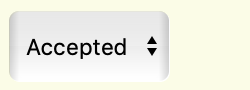
Rows with this option and highlight color indicate submissions that have been flagged as Accepted. Regardless of whether the submission is complete or incomplete, this status allows the submission to be moved into a judging round.
Warning:Only submissions in "Accepted" status will be moved to a judging round.
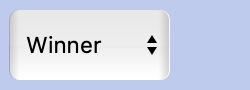
Rows with this option and highlight color indicate submissions that have been flagged as Winner. Submissions with this status designation will not be moved into a judging round. Also, submissions with this status will receive the "Winner" notification once the opportunity is placed in post-production (see opportunity edit)
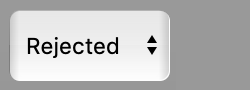
Rows with this option and highlight color indicate submissions that have been flagged as Rejected. Submissions with this status designation will not be moved into a judging round. Also, submissions with this status will receive the "Rejected" notification once the opportunity is placed in post-production (see opportunity edit)
Rows with this option and highlight color do not have an acceptance status, but indicate submissions that are Complete.
Rows with this option and highlight color do not have an acceptance status, but indicate submissions that are Incomplete and missing required submission elements.
Actions Menu and Sorting
To sort columns, click the column header.
To perform an action on a submission or a group of submissions, select the submissions by checking the checkbox aligned with the submission and choose the action from the "Actions Menu."
You cannot add or remove submissions from a judging round that is active
View Submissions by Adjudication Round
To view submissions assigned to a specific judging round, simply click the judging round name in the "Included in Judging Round(s)" column. This will return only the submissions in the adjudication round. Use "View All Submissions" in the View menu to return.
Opportunities can be in one of five possible states:
Not Published:
In this state, you may continue to edit the call for submissions. Since it
isn't published in this state, no one will be able to submit to the opportunity. Please note that a webpage has been
generated and anyone with the URL can view the current details of the call for submission.
Published:
After clicking on the "Published" button, the call for scores will appear
in the Opportunities side bar on the left hand side of screen and anyone with a New Music Engine account will be able to
submit to it. A "Submit" button will also
appear on the opportunity's webpage, and a "View Submissions" link will appear just below the status of the opportunity on
this page allowing you and, if applicable, every other Category Administrator assigned to your call to review submission while the opportunity is active.
Once the deadline for the opportunity has passed (or you have "Closed" the call), no new submissions will be allowed. However, users will still be able to edit their submission, and Category Admins will be able to assist in fixing any incomplete submissions for any of the submitters who might need a little help.
Closed:
In this state, submissions will not be editable.
Judging:
A new "Adjudication Round Manager" button will appear to Category Administrators assigned to your opportunity. By clicking on this link, you will be able to create judging rounds, build judging rubrics and assign judges to adjudicate submissions.
Post Production:
In this state, submissions will not be editable. Once the opportunity has been placed in this state, the "Public Press Release" will appear on the opportunity's webpage. Additionally, "Winner" and "Rejection" messages will appear in the accounts of those who submitted to the opportunity. Finally, action items for this opportunity will become available to those submissions in the "Winner" status.
Competition Over:
Once judging is complete and you no longer need to access this opportunity, click on the "Competition Over" button. Doing so will remove the opportunity from your list of opportunities and you will no longer have access to the submissions or judging rounds.
Warning:You cannot undo a status change or roll back a status change. For example, once the call for submissions is published, it cannot be set to the status of Not Published.
New Music Engine is constantly being developed to meet the needs of its users. Below is a list of recent improvements to NME.
General Fixes and Upgrades
Updates related to performance and debugging [Ongoing]
Bootstrap 5.3 upgrade [Winter 2026]
Opportunities and Listings can now bear the same name of a previously deleted Opportunity or Listing. [Fall 2025]
User Interface
Updates to UI feedback [Ongoing]
Repositioning of navigation elements to "My Stuff" [Winter 2026]
Notifications, Public Listings, and Opportunities list redesigned. Upgrade to performance [Winter 2026]
Improved UI clarity for judging workflow. [Fall 2025]
Improvements to Opportunity edit form and validation. [Fall 2025]
Several UI upgrades including navigation areas, fonts, alerts, and dropdown banners. [Fall 2025]
Submission forms now auto-save for user. More robust form validation. [Fall 2025]
A more robust audio player has been installed on NME. This upgrade makes it easier for users to review uploaded audio files by displaying an amplitude rendering of the audio file, scrubbing functionality, and a more accurate timer. [Fall 2025]
This page lists all of the opportunities that you are managing and is the primary place for administering
all of your competitions.
Opportunities can be in one of five possible states:
Open for Edits:
In this state, you may continue to edit the judging round. Since it
isn't published in this state, judges will not have judging round tasks assigned.
Round Active:
After clicking on the "Make round Active" button, tasks are created for judges. When a judge logs into New Music Engine, they will see their assignment in the "Notifications" frame. Category Admins can view the progress of adjudicators by clicking the "Judging Round Worksheet" button or get a larger overview by clicking the "Admin Worksheet" button.
Close:
By clicking the "Close" button, any remaining tasks will
be removed from adjudicators' notifications frame. Incomplete tasks will still be visible to the organizer, but judges will
not have access to incomplete tasks.
Warning:You cannot undo a status change or roll back a status change. For example, once the judging round is active, it cannot be set back to "Open for Edits".
Assigning Judges
In this section, organizers create a name for the judging round and assign judges to the judging round. Adjudicators must have a free New Music Engine account in order to judge an opportunity on New Music Engine.
To assign a judge, begin by searching for an adjudicator by email address in the search field. If the account exists, the email will appear in the dynamic dropdown results. Simply click the right arrow to add the adjudicator to the assigned judges list on the right.
If an account doesn't exist, the opportunity organizer can create an account for the adjudicator by clicking the "Invite" button that will appear once a complete email address has been entered. Upon creating an account, this newly invited adjudicator will be added to the list of assigned judges. Also, the adjudicator will receive an automated email from New Music Engine that contains login information, and the organizer will be copied on this email.
Adjudicators do not receive an email from New Music Engine when they are assigned to a judging round. Opportunity organizers should communicate directly with judges about judging round assignments and adjudication rubrics.
Judging Task Distribution
Open for Edits:
In this state, you may continue to edit the judging round. Since it
isn't published in this state, judges will not have judging round tasks assigned.
Basic Distribution:
With this assignment, every judge will receive every piece, which must be judged, in their task list.
Complete Distribution
With this assignment, every judge will receive every piece in their task list. Redundancy effects the number of submissions that each judge will score.
Even Distribution:
With this assignment, submissions are distributed evenly to judges. Judges will not review every submission, but a random selection of submissions. For example, if your judging round has three judges and 60 submissions with no score redundancy (see below), then each judge will be assigned 20 submissions to judge.
Score Redundancy:
Choose the number of judging scores each submission will need to be considered "judged".
Examples:
Scenario 1:
Distribution Method: Basic Distribution
Score Redundancy: n/a
# of Judges: 3
# of Submissions: 60
In Scenario 1, each judge will be presented with all 60 submissions and each judge must adjudicate each submission. This is the same as
using Complete Distibution (see scenario 2, below) where the redundancy equals the number of
assigned judges.
Scenario 2:
Distribution Method: Complete Distribution
Score Redundancy: 2
# of Judges: 3
# of Submissions: 60
In Scenario 2, each judge will be presented with the entire list of submissions (Complete Distribution); however, due to the
score redundancy of 2, they will not judge every piece. Once a submission is judged twice, it will be considered complete and be
removed from the list of tasks. In other words, the task list is dynamic -- submissions are removed as judging occurs.
Scenario 3:
Distribution Method: Even Distribution
Score Redundancy: 1
# of Judges: 3
# of Submissions: 60
In Scenario 3, each judge will receive 20 submissions in their task list. The task list for the round is not dynamic,
therefore each judge will have to complete their assigned task list. Judging will not be complete until each judge completes their individual
task list.
Scenario 4:
Distribution Method: Even Distribution
Score Redundancy: 2
# of Judges: 3
# of Submissions: 60
In Scenario 4, each judge will receive 40 submissions in their task list: (Submissions x Score Redundancy) ÷ Number of Judges.
Each judge will have to complete their task list as the task list is not dynamic. Judging will not be
complete until each judge completes their individual task list.
A judging rubric is a great way to help judges think about elements to consider when reviewing submisssions. As a generic example, you may want judges to consider and provide a score for the level of creativity of a submission. Additionally, you may want to gather general comments about submissions from the judges or have them give an overall score for the submitted creative work. With the RubricBuilder, you can easily create a system to collect this type of data and much more.
Examples
[Label]
[Type]
[Description]
Overall Score
Description:
Provide an overall score for this submission where 10 is the highest score possible.
About the Rubric Element:
This is the most common rubric element. In the element above the label is "Overall Score" and the type is "Numeric Range". The info contains the elements in the dropdown menu: "1-10" (Note: specify the low and high number separated by a hyphen).
Creativity
Description:
Beginner= This work has little or no variety, obvious choices, or overuse of derivative and cliché.
Intermediate= Variety of sounds that suggest thematic, motivic, and gestural development.
Continuity/form created.
Advanced= A clear artistic voice is present, music elements developed and supporting dramatic elements, and avoidance of cliché and non-intentional derivatives
About the Rubric Element:
In the rubric element above the label is "Creativity" and the type is "Text Values". The info contains the elements in the dropdown menu: "Beginner, Intermediate, Advanced". Note that each element is separated by a comma. You must assign a value to each text element.
Presentation
Description:
Score this submission on its presentation materials from low to high.
About the Rubric Element:
In the rubric element above the rubric label is "Presentation" and the type is "Numeric Range". The info contains the elements in the dropdown menu: "1-10" (Note: specify the low and high number separated by a hyphen).
Comments
Description:
Enter general comments about this submission.
About the Rubric Element:
In the rubric element above the rubric label is "Comments" and the type is "Comments Field".
The info is set to 200, which indicates the maximum number of words a judge will be able to enter.
Leaving the info blank will simply set the word maximum to unlimited by default.
This page lists the settings for this judging round and the submissions attached to the judging round.
Click this button to email the adjudicator(s).
Clicking this button for all adjudicators will automatically complete all judging tasks for the judging round. Clicking on this button next to a judges name will complete judging tasks for only that adjudicator.
If you want to replace a judge with another judge, click this button. The new judge must already have a New Music Engine account. All judging tasks of the old judge, regardless of completion, will be assigned to the new adjudicator and an announcement of these tasks will appear in the Notifications Page when the the judge logs into the New Music Engine.
On this page, adjudicators view the judging tasks for the judging round, and complete judging rubric elements for their tasks.
Note: This page does not have a "save" or "submit" button. Your changes will automatically be saved.
Once you have completed your judging tasks, a popup window will appear within approximately asking you to finalize your judging results. You will not be able to access submissions after you have finalized your judging.
Clicking the info button will open up the submission details in a separate browser tab/window.
This icon indicates that you have met all of the judging requirements for the submission.
This icon indicates that you have not met all of the judging requirements for the submission.
New Music Engine is an online system that makes managing calls for submissions very easy. With NME, there's no more tracking down audio or PDF files in different google drives, making sure composers give you the correct permissions, fusing with odd file naming or file formats, massaging google forms, dropbox errors, etc. With over 8000 account holders to date, it’s a great way to connect with composers already engaged! AND New Music Engine is Very Affordable! To view pricing and features, Click Here.
Features
Free
Hosted
Post a Formatted Call
External Links in Call Information
Embed Code for Your Website
Upload Opportunity Logo
Opportunity Prominently Displayed
Customized Submission Form
Media Files Stored on NME
All Submission Materials in One Place
Customizable Judging Rounds
Duplicate Previous Calls & Work Seamlessly Year-to-Year
Free Support
To learn how you can host a call on New Music Engine, contact us by sending an email to support@newmusicengine.org.
Elevate Your Call for Scores with New Music Engine
Stop chasing expired Dropbox links and hunting through cluttered inboxes. Whether you’re programming a solo recital or launching an international festival, New Music Engine (NME) provides a professional, centralized hub for your submissions.
Why host your call with NME?
Centralized Storage: All scores and media files live on our secure servers. Say goodbye to broken Google Drive permissions and password-protected links.
Tailored to Your Workflow: Build custom submission forms and judging rubrics in minutes. From multiple audio files to large PDFs, we handle it all.
Built-in Audience: Instantly put your call in front of our community of 8,000+ composers and artists.
Rock-Solid Security: Your data is protected by industry-standard Amazon S3 encryption.
Scalable solutions for every project. From local youth orchestras to major new music festivals, NME is built to fit your vision—at a price that respects your budget.
Reasonably priced
To host a call on New Music Engine, contact us!
Partnering Organizations
A few of the great organizations that use NME to host their calls:
Your secured session is about to expire. You will be logged out in seconds. Click anywhere to cancel.